

TP-Link PGW2440 KIT Advanced Protocol G.hn2400 Powerline Adapter, AX1800Mbps WiFi 6 Internet Booster KIT, Extra Power Socket, 2+1 Gigabit Ethernet Ports, 8K Streaming & Gaming, Plug & Play
£221.89




Price: S$221.89
(as of May 18, 2026 07:26:35 UTC – Details)
From the manufacturer

[NOTE] Compatible with all G.hn Standard Powerline adapters. Not compatible with HomePlug AV and AV2 Standard Powerline adapters. Actual compatibility will vary with routers or gateways featuring firmware that is altered, based on open-source programs, or is non-standard or outdated.

Maximum wireless signal rates are the physical rates derived from IEEE Standard 802.11 specifications. Actual wireless data throughput and wireless coverage per ft2 vary as a result of 1) environmental factors, 2) network conditions, and 3) client limitations.
 Next Generation G.hn Standard
Advanced Protocol G.hn MIMO: Faster, stable, and larger capacity
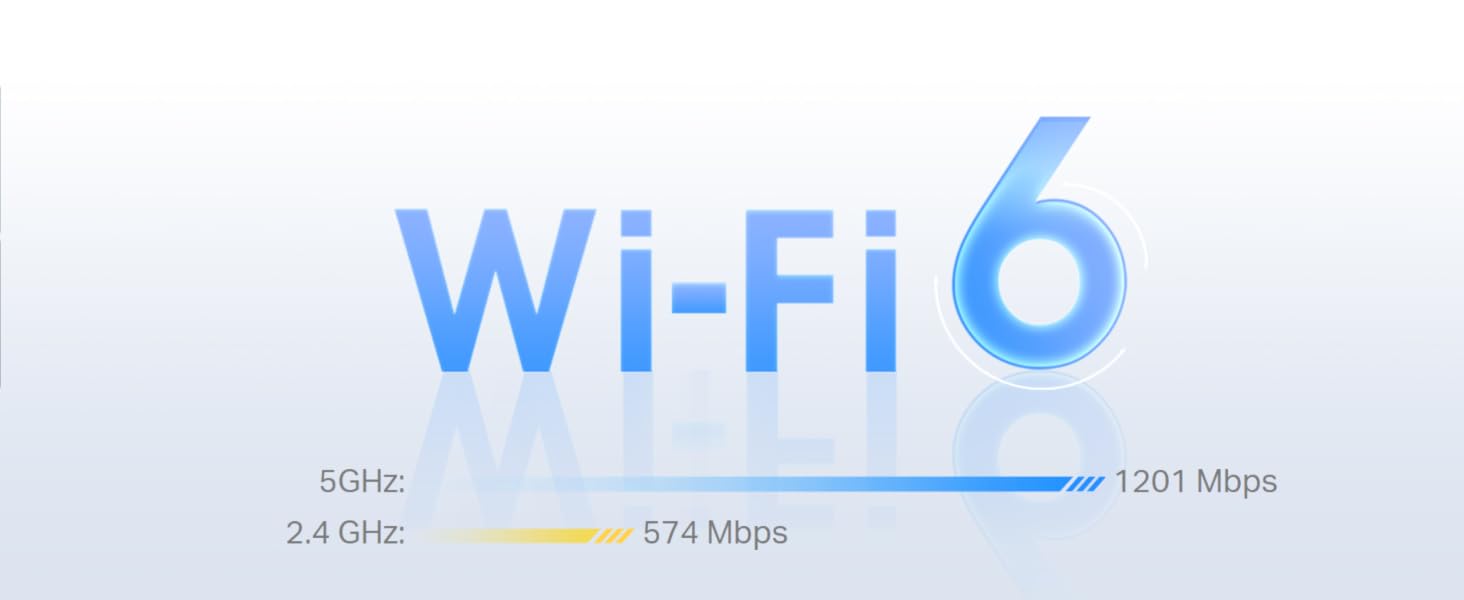 Upgrades your Powerline with Wi-Fi 6
New technologies that come with 802.11ax, such as 1024QAM and Long OFDM Symbol, allow the powerline to provide industry-leading speeds of up to 574 Mbps on a 2.4GHz band and 1201 Mbps on a 5GHz band.
 Flexibly Create Whole Home Mesh Wi-Fi
If you have any dead zones at home, just add another EasyMesh-compatible device to further form your whole home mesh WiFi. No more searching for a stable connection.◇
 Take Your Powerline Network to the Next Level
With the Next-Gen G.hn 2×2 MIMO, the PGW2440 KIT deliver superior high speed over 2 times than G.hn SISO, that supports all of your online needs.
[NOTE] Actual network speed may be limited by the rate of the product’s Ethernet WAN or LAN port, the rate supported by the network cable, Internet service provider factors and other environmental conditions.
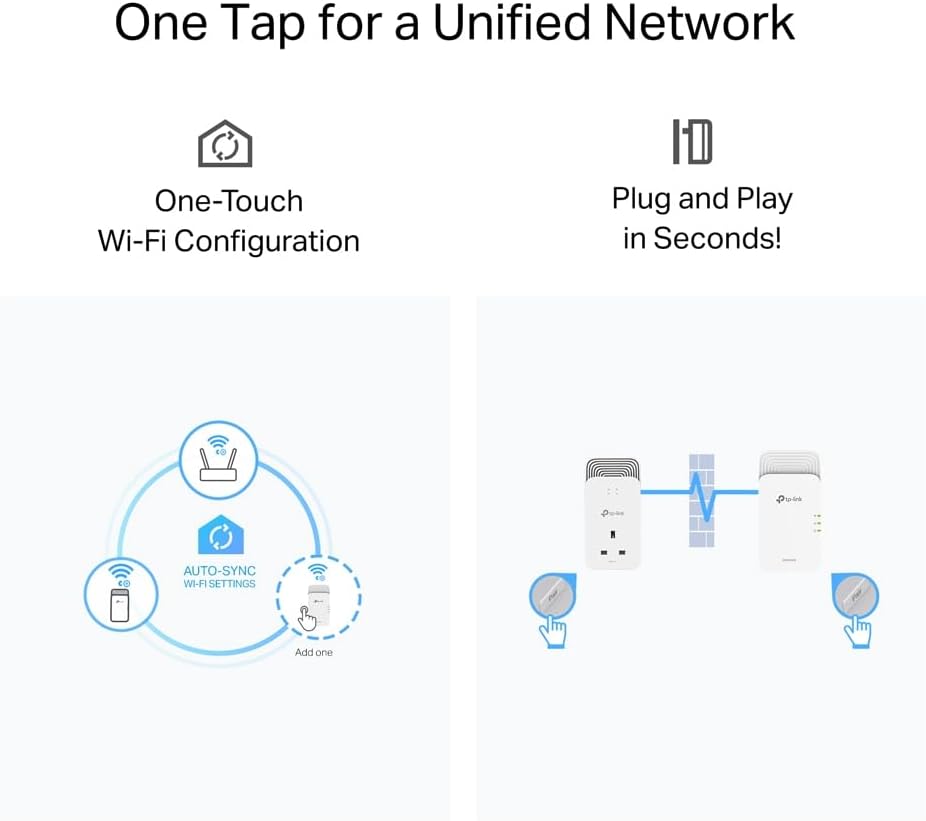
One Tap for a Unified Network  Plug and Play in Seconds!
Plug PG2400P in the wall and connect it to the router. Then plug PGW2440 into any desired power socket to get the Wi-Fi extension. For more security, please press the ‘Pair’ buttons.
 One-Touch Wi-Fi Configuration
Instantly copies your network name and password from your router for easy setup. Automatically applies any setting changes across the network. Your existing Wi-Fi settings will synchronize to the new extender instantly.
 Wiring up with Gigabit Speeds
Ideal for lag-free gaming and 8K HD Streaming. Just use and Ethernet cable to attach your devices to the Powerline adapter to get started!

Faster G.hn Network- Under various interference environments, the latest G.hn powerline keeps higher speed data transfer rates than last-gen powerline
Plug and Play for Whole Home Coverage – – Up to 300 meters/1,000 feet over existing electrical wiring, With Extra Power Socket
1+2 Gigabit Ethernet Ports – Provide warp-speed wired connections for 8K HD streaming, lag-free gaming, and more
Power Saving Mode – Automatically switches to “Power-Saving” mode when not in use, reducing its energy consumption by up to 85%
Compatible with all routers and G.hn Powerline adapters (PG2400P KIT, PGW2440 KIT ), Not compatible with HomePlug AV/AV2 Powerline adapters, Wireless version, With 3 years manufactured warranty
Supports Smart Roaming- Form a unified mesh network with PGW2440 and a OneMesh router for seamless streaming while moving around your home
Note:G.hn Powerline models need to be used in the same power electricity circuit
8 reviews for TP-Link PGW2440 KIT Advanced Protocol G.hn2400 Powerline Adapter, AX1800Mbps WiFi 6 Internet Booster KIT, Extra Power Socket, 2+1 Gigabit Ethernet Ports, 8K Streaming & Gaming, Plug & Play
Add a review
Related Products




£221.89


pontyjon –
Does what it say on the tin!
Excellent product. Had a few TP Links over the years and this one isn’t any different. Does the job with all the modern bells and whistles. Upped a week 2meg WiFi at back of house to 200meg. They did need pairing out of the box. Instruction are so easy to follow. After that they just work. The wifi extender has more options and features than our home router. Signal range is also very good.
George Tekkis –
Excellent item
Perfect item for high speed wifi.Delivery was right on time and no delays
axhmr –
By a long shot, the fastest PowerLine adapters I’ve owned.
So I purchased these as I recently got a TP-Link router, which supports OpenMesh/EasyMesh. And I saw that the “Access Point” which came with this kit also supported Open/EasyMesh. Thought they would go hand in hand, single management pane, all part of the same eco system. Along with that, I like having an Ethernet port for my work and personal computers to connect to.Set up was easy, pretty much plug and play, and then enabling the OpenMesh setting from my routers management page.Initially I started by plugging the first power line adapter (the one that should really plug into your router) right next to my router. Short Cat6 cable, straight from the router, to the PowerLine adapter. I placed the larger unit (With the built in AP/Repeater/Mesh node) into the wall, up stairs in my office, by my work station.Using the TP-Link utility, I was able to see that the transfer rate was only showing up as 445Mbps. Which wasn’t actually any better than my previous Generation AV2 TP-Link PowerLine adapters – I’d say the same actually.Here’s where it gets interesting, and kind of fun (especially if you are a DIY home network ‘boff’ – like me.) I went round my home, trying all different plug combinations. And running internet speed tests along the way. I’ve had speeds vary from 80Mbps all the way up to 400Mbps. It actually did peak at about 580Mbps on one of the tests. Do keep in mind that during these tests I was merely testing the LAN speeds (Through only Ethernet) on the AP/Repeater part of the PowerLine Kit. My last kit only ever hit 150Mbps, in what I determined as the ideal setup.Now for the funny part. With the PowerLine adapter close to the router (1.5 metres) I was getting the slower speeds. I forgot to mention; my router is right next to the RCD. So I’d expect a lot less latency, faster speeds, and less power cable for the signal to be sent through. It should have been ideal. However, with the PowerLine adapter the other side of the house, the speeds were faster. So through even more power cable, more Ethernet cable, and likely a lot more interference, the speeds were faster.I know it’s not advised, but I recently plugged the bigger of the two PowerLine adapters into a non surge protected power strip. Speeds increased yet again. So 2 meters of Cat 6, and 10 meters of electric wire, is slower than 20 Meters of Cat 5e and I’d estimate 25 meters of power cable. Confusing, eh?I guess it just goes to show that these adapters are not all built equally. And even the smallest change can affect the speed. If you do purchase these for the PowerLine functionality, test them in every possible combination you can. Even if you have a two gang socket, try them in each socket. I gained 100Mbps just from going from the right socket to the left socket. Saying that it does worry me how that could be.Lastly the mesh set up… well it’s my first mesh set up, and I’ve found the speeds to cap out at 420Mbps over WiFi when connected to the mesh node. If I connect directly to my router through WiFi 6, I get the full speed I pay for. I’m not sure why this is or what I need to do to improve it, but I will be sure to update my review once I find out.All in all, fast power line adapters, a lot of trial and error involved to find out what setup works best for you. The WiFi speeds whilst set up in Mesh mode aren’t that great. Although the signal is stronger, the speeds are now slower. I do however recommend these especially if you are paying for speeds below 500Mbps.
Alex Bell –
Plugged stop working barely using it for couple of hours.
I bought the TP-Link PGW2440 powerline kit to replace older TP-Link adapters that had become slow. I specifically chose this G.hn model expecting better performance and improved resistance to electrical interference.Instead, the product failed almost immediately. After just a couple of hours of very light use, the unit providing Wi-Fi stopped working entirely. The adapter was uncomfortably warm to the touch and no longer delivered power at all. This raises serious concerns about build quality and safety.I may have received a defective unit, but a device that fails this quickly is unacceptable. Given the price and TP-Link’s reputation, this was extremely disappointing. The kit is being returned.
Amazon Customer –
Wow. At Last!
After upgrading to the latest BT Superfast Fibre Broadband in my home (Single Story Bungalow), I still could not get acceptable coverage in the most important room in the house. My Games Room/Office. It’s 19 metres from the main building with about 1.5 metre gap between it and the house and several solid brick walls. Total 25 metres from the main router which is located as far away as possible. The technician that installed it insisted that it was so fantastic that if there was a weak spot that he would leave me three repeaters to boost it. I’m no computer expert but if you try and install the repeaters in a link (3) number 3 ends up with barely more than you have without it. I absolutely did not want to run anymore wires! I phoned BT for technical advice luckily spoke to ‘The Guy’ that clearly knows what he’s talking about. He said that BT doesn’t sell anything like that but Amazon does. So, I researched the customer reviews and the only couple of problems (not for me) that customers might have with this setup is that you can’t by an an additional extender without buying the full kit which could make this setup very pricey. However, my setup works far better than I imagined. I can’t speak for how it might work in a multi story building but in my house (the two units are separated by 25 metres and a lot of masonry and there is ZERO degredation at the farthest end. Super Fast & Reliable. I highly recommend this setup!
TrueReviews –
Works well – even over 50 year old wiring
Works well – even over 50 year old wiring. Simple plug and play, worked first time and so far is proving reliable and robust
DE LE VALLEE –
attention prises anglaises
B.A –
Not as powerfull as expected for the price and is bulky